How to Create Online Portfolio
How to create online portfolio - Learn how to create an online portfolio that lands interviews, even without a degree. Step-by-step tips for tech, trades, and
You're staring at a resume that feels thin, even though you've done the work. Maybe you learned in a bootcamp, served in the military, picked up a trade on the job, or switched fields after years of proving yourself in a different lane. That's exactly where a strong portfolio changes the conversation, because it gives hiring managers something concrete to review instead of asking them to guess from a blank-looking page.
A good online portfolio isn't a brag folder. It's a short, sharp proof package that shows what you can do, how you think, and why someone should talk to you next. The best ones follow the same pattern: clear positioning, curated projects, simple navigation, and evidence that you can deliver in the professional world.
Table of Contents
- Start by Knowing Who You're Building This For
- Pick a Platform That Fits Your Industry
- Fill It with Projects That Prove What You Can Do
- Handle the No-Experience Problem
- Make It Work for ATS Systems and Search Engines
- Show Real Examples from Different Career Paths
- Keep It Alive with Regular Updates
Start by Knowing Who You're Building This For
Many portfolio builders start by collecting everything they've ever touched, then wonder why nobody calls back. That usually leaves recruiters, hiring managers, or small business owners doing extra work to figure out one simple thing, can this person do the job?

Your opening screen should answer that question fast. State what you do, who you do it for, and what kind of value you bring. Coursera's portfolio guidance says a simple portfolio needs an About me section plus projects, and it recommends showing your best or latest work with concrete artifacts, not just claims about skills (Coursera portfolio guidance). For STARs, that matters because the portfolio has to stand in for the experience signal that a long title history would normally provide. A bootcamp grad, a veteran, or someone who learned on the job needs proof that hiring teams can inspect in seconds.
What the reader should see first
A veteran moving into logistics, a bootcamp grad chasing an analyst role, and an HVAC tech trying to step into service management all need different proof. The first screen still has to answer the same thing, what can this person do for me? A concise positioning statement works better than a long bio because it gives the reader a reason to keep going. The portfolio site walkthrough for developers makes the same practical point, show the work that matches the role and keep the rest out of the way.
Practical rule: if the first screen doesn't tell someone why you're worth a click, the rest of the site won't save you.
Creative Bloq's portfolio guide recommends a one-sentence positioning statement followed by only the strongest, most relevant projects, because recruiters do not have time to sort through unrelated work (Creative Bloq portfolio guide). I've seen that play out in hiring conversations over and over. A candidate with modest experience but a clear portfolio gets invited in because the hiring manager can see effort, judgment, and follow-through. The candidate with a bigger resume but no visible proof gets filed under “maybe later.”
If you are unsure which direction your portfolio should point, start with a quick skills-first check using this career quiz. It is a cleaner way to narrow your message than guessing at a role title and hoping it sticks.
Pick a Platform That Fits Your Industry
Platform choice trips people up because they start with what looks polished, not with how their work will be reviewed. A software engineer does not need the same setup as a photographer, and a tradesperson does not need a flashy template that buries certificates and project photos under extra motion. The right platform is the one your audience already knows how to read.
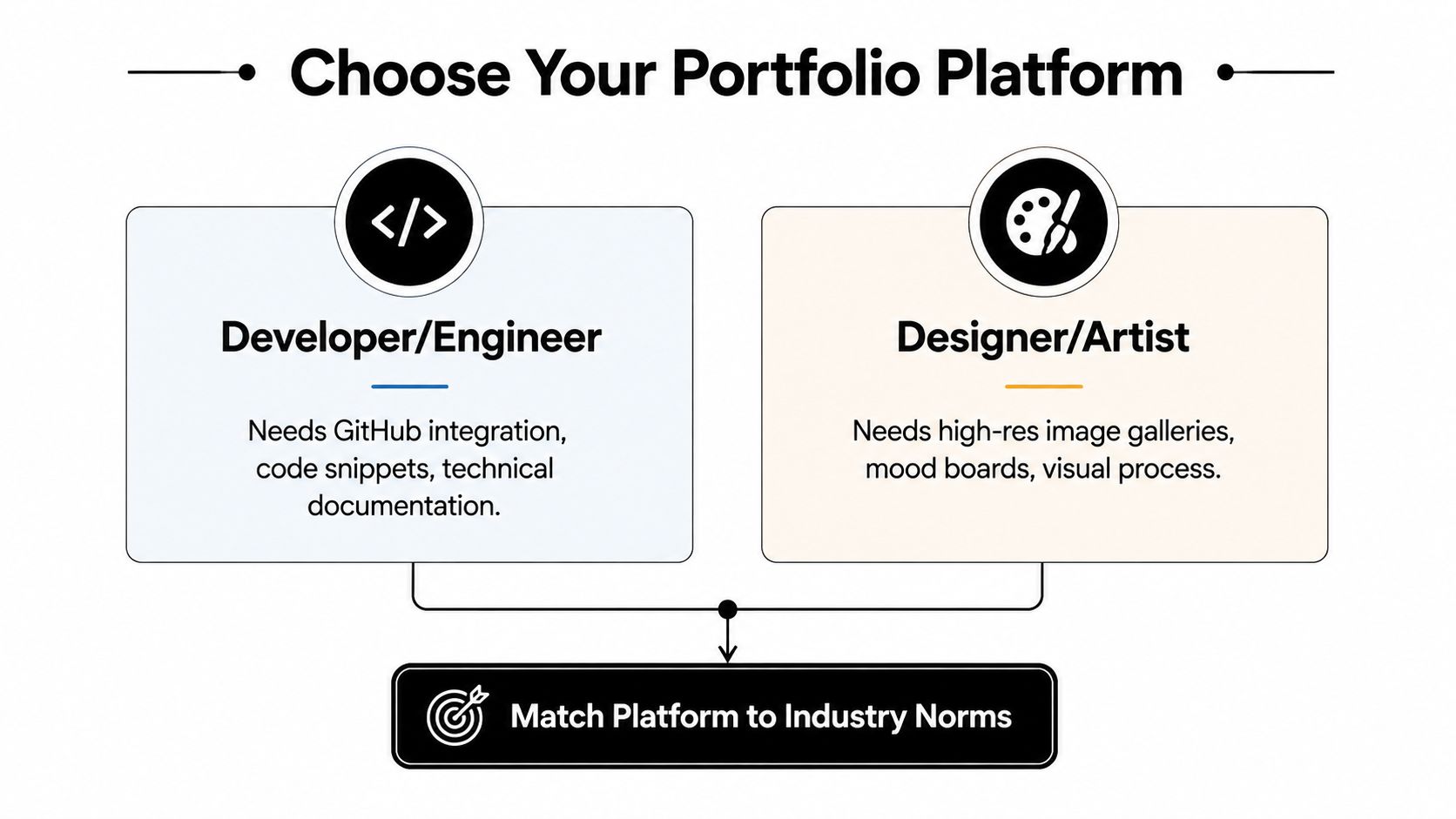
For technical roles, GitHub can do the job well as a free host, especially if your work needs code, documentation, and version history. Adobe Express and Canva are better fits for people who need a quick visual portfolio without building from scratch, while Flipsnack works well for PDF portfolios that need public sharing, embed options, email distribution, or a QR code. Flipsnack also includes analytics such as views, clicks, time spent, and heatmaps, which helps if you want to see whether anyone is opening your work (Adobe Express portfolio tools).
Portfolio Platforms by Career Path
| Platform | Best For | Cost | Key Strength |
|---|---|---|---|
| GitHub | Developers, data analysts, technical roles | Free | Code-first proof, repos, documentation |
| Canva | Designers, career switchers, quick personal sites | Free options available | Fast setup, visual layouts, easy sharing |
| Adobe Express | Designers, marketers, service professionals | Free options available | Clean portfolio site maker, polished look |
| Flipsnack | PDF portfolios, client-facing work, mixed media | Free options available | Public sharing, embeds, QR code, analytics |
| Personal website | People who want full control | Varies | Full branding control and flexible structure |
If you want a code-centric build without overthinking the design, the portfolio site walkthrough for developers is a useful reference. It shows the practical side of organizing work so hiring managers can find what matters fast. For STARs, that matters because a portfolio has to prove skills earned through bootcamps, military service, apprenticeships, or on-the-job work, not just polish. A clear structure also pairs well with a STAR method resume examples guide when you want your resume and portfolio to tell the same story.
Match the tool to the job market
A bootcamp grad applying for junior data work can get a lot done with GitHub and a simple web front end. A designer usually needs visual breathing room, high-resolution images, and easy gallery browsing. A construction supervisor, electrician, or HVAC technician needs something different, a mobile-friendly layout, crisp project photos, and a place to link credentials without making the visitor dig for them.
A portfolio should feel native to the field you want to enter. If it looks like it belongs to a different industry, it works against you.
Control matters too. If you want easy publishing and no-code convenience, a tool like Canva or Adobe Express is enough. If you want deeper customization and cleaner technical organization, GitHub or your own site gives you more flexibility. Choose based on how your work is normally reviewed, not on which template has the flashiest homepage.
Fill It with Projects That Prove What You Can Do
Visual polish alone won't carry a portfolio. The projects need to do the heavy lifting, and each one should read like evidence, not decoration. A hiring manager should open a project and quickly see the problem, the tools, your process, and what changed because you were involved.
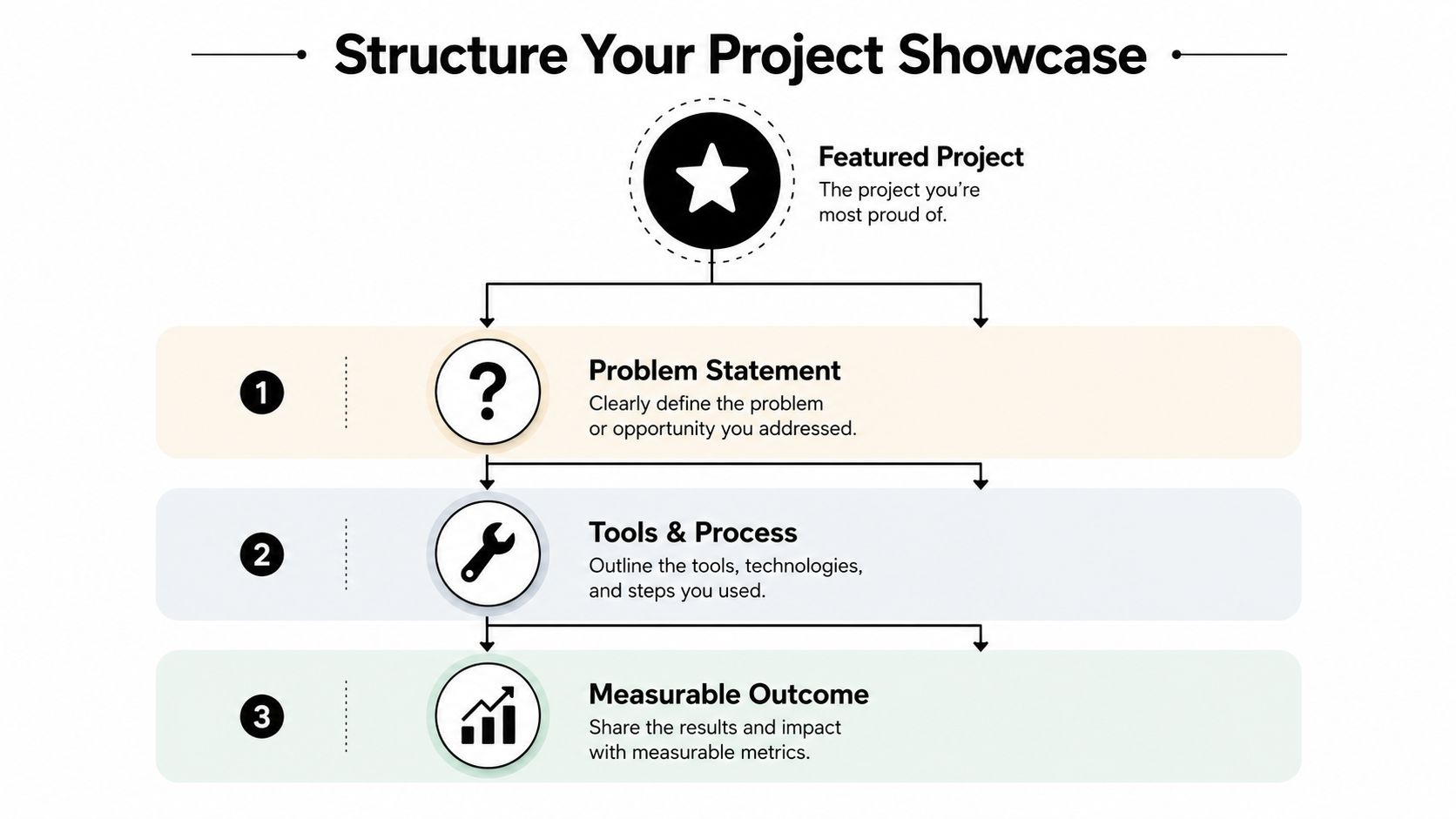
A strong project page works like a short case study. Lead with the outcome, then show supporting detail, then explain the work. Creative Bloq recommends starting with the final result, then adding detail shots, process artifacts, and a concise case study that covers the brief, your role, and the result. That structure fits STARs well because it shows judgment, not just output.
Build each project like a hiring manager will skim it
Don't make people piece the story together. Each project should include the objective, the dataset or materials, the tools, the process, the insights, and a link or screenshot. A good structure also makes it easier to connect your portfolio to a strong resume narrative, especially if you are using STAR method resume examples to frame your work experience.
Coursera's portfolio guidance points to the kinds of artifacts employers can judge quickly, including scraping, data cleaning, analysis, visualization, and communication. For STARs, that matters because the goal is to show how you work, not just what you made.
Here's the cleanest page structure I've seen work well:
- Home page: a short positioning statement and featured projects.
- About page: your background, strengths, and direction.
- Contact page: email, professional links, and a simple next step.
- Résumé download: a PDF version for fast sharing.
UXfolio's digital portfolio guide also calls out a bio, categorized work samples or case studies, contact details or a contact form, and a link to your résumé in PDF format as the core elements. Indeed similarly recommends a brief personal introduction, projects, services, contact information, and social icons, including phone number and email address.
Useful filter: if a project can't be explained in three minutes without jargon, it is probably too bloated for the portfolio.
Curate hard, not wide
More isn't better here. Format's portfolio checklist recommends keeping things tightly curated, often around 5 to 8 strong pieces or 8 to 12 work samples, because quality over quantity improves clarity and makes the site easier to scan. That matches what hiring managers want. They want proof, not a stack of half-finished samples.
I have watched candidates bury good work under six extra projects that were only “okay.” That usually weakens the overall impression. One strong project with a clear narrative beats a pile of vague samples every time.
Handle the No-Experience Problem
This is the part most advice glosses over. What if you don't have client work yet, or your military, apprenticeship, or bootcamp experience hasn't turned into polished public samples? You don't fake it. You build credible proof from what you do have.
A good portfolio can absolutely start with sample work, mini-wins, and short case-study writeups. The key is to show the problem, your process, and the expected result, even if the deliverable wasn't paid client work. LinkedIn-adjacent guidance on first portfolios says the portfolio should answer one clear question, while other guides stress showing only the best work and using concise case studies, not sheer volume (LinkedIn portfolio article). That's especially relevant for STARs, because your goal is to prove employability before you've accumulated years of conventional job titles.
What counts when the resume is thin
A bootcamp grad can create a public analysis project using open data. A veteran can turn logistics experience into a process portfolio with screenshots, checklists, or a brief operational case study. A tradesperson moving into supervision can document how they handled scheduling, materials, safety coordination, or customer communication on a real job.
Resumey.Pro's advice on how to show skills without a job lines up with that thinking, because it focuses on evidence, not title. If you have a useful result, a clear process, and proof that the work happened, you've got portfolio material.
For people trying to enter a field without a degree, a portfolio is often the thing that bridges the gap between potential and trust. If that's your situation, this guide to getting a job without a degree is worth pairing with your portfolio work so your story stays consistent.
Good portfolio filler versus weak filler
- Strong sample project: a mock dashboard, a home lab, a process improvement writeup, or a before-and-after service workflow.
- Weak filler: screenshots with no context, random certificates with no relevance, or a gallery of unfinished experiments.
- Strong mini-win: a volunteer task, a freelance one-off, a peer project, or a personal build with a clear outcome.
- Weak mini-win: “I learned Python” with nothing attached to it.
The trick is to write the sample like you'd write about paid work. Say what problem you tackled, what tools you used, and what you learned. If the result is expected rather than final, say so. Hiring managers usually respect a clean, straightforward sample more than a padded claim.
Make It Work for ATS Systems and Search Engines
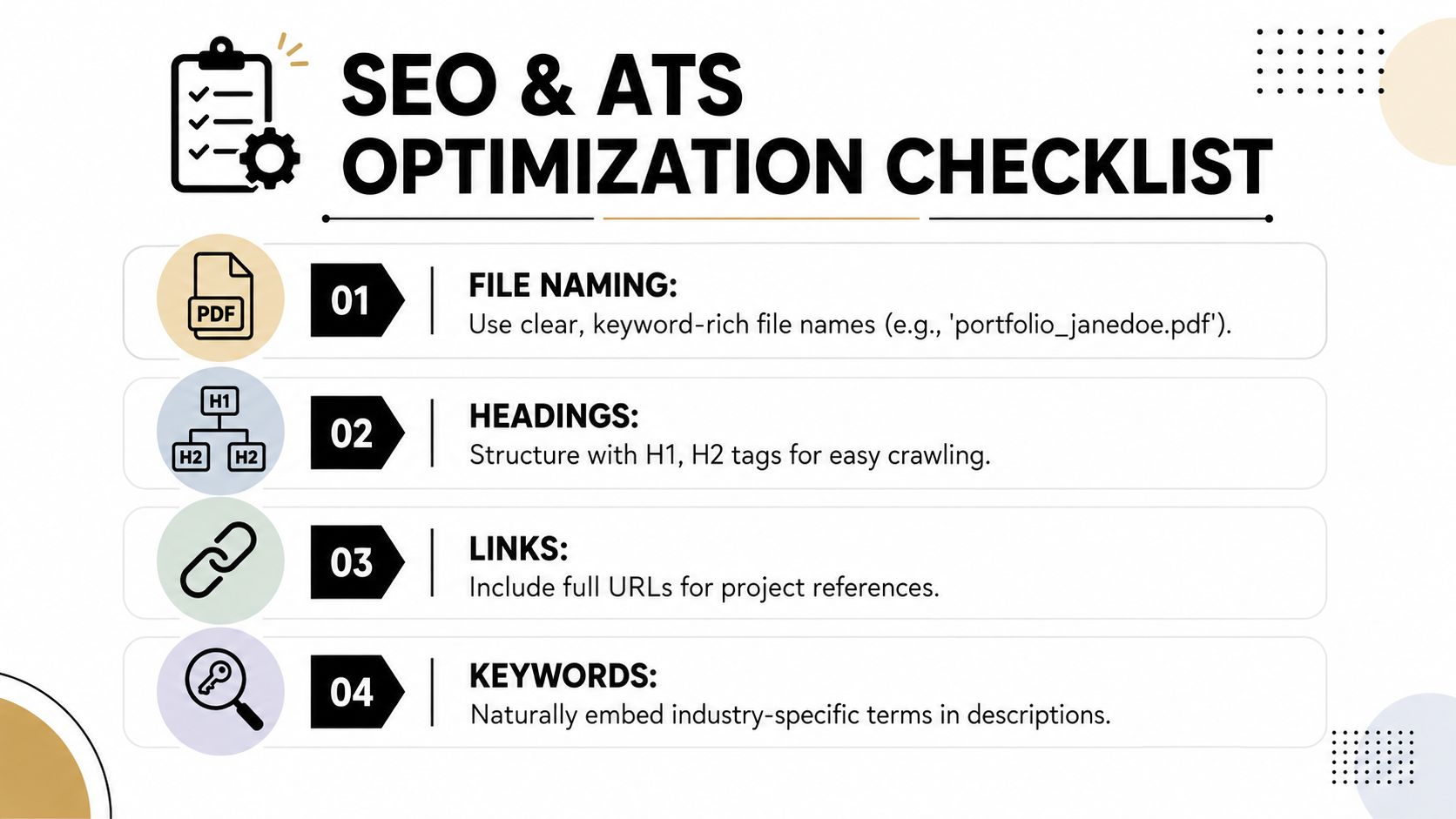
A portfolio that looks polished but stays hidden helps no one. Recruiters move between search, LinkedIn, ATS tools, and phones, so the site has to be easy for both people and systems to read. Keep the structure clean, the pages fast, the headings plain, and the keywords natural. Skip stuffing terms where they do not belong.
The University of Michigan's Binghamton career resource says to make a portfolio easy to explore and focused on the reader's perspective, and to emphasize transferable skills and measurable outcomes rather than just listing projects (Binghamton career resource). That approach also helps with discoverability. Search engines and hiring systems both respond better when the page is organized clearly and the evidence is easy to scan.
Keep the structure crawlable
Use straightforward headings, not clever labels that hide meaning. A page called “My Journey” tells the reader nothing. A page called “Projects” does. The same rule applies to project descriptions, which should sound natural but still include the words someone might search for, like data cleaning, customer service, safety compliance, maintenance, or process improvement.
Wix's portfolio guidance stresses SEO, mobile friendliness, analytics, loading speed, and clear calls to action, and it also points toward product-like portfolios with concise value propositions and service-oriented case studies (Wix portfolio guide). That direction fits how hiring and client discovery works now. If your portfolio loads slowly on a phone, or the main points are buried, it is already losing attention.
Use the basics that help both people and machines
A portfolio should make contact easy. That means clear project sections, services, social media icons when they help your search, and direct phone and email details. Indeed online portfolio guide covers those basics well, because the goal is to reduce friction for anyone who wants to reach out.
The same logic shows up in the UXMagic portfolio guide, which pushes a clear value proposition, easy scanning, and a site that feels current rather than decorative. If the work is solid, the site should make that obvious fast.
A few basics make a real difference:
- File names: use clear names that describe the asset.
- Headings: keep a logical hierarchy so pages scan cleanly.
- Links: make project references easy to click through.
- Keywords: place role-specific terms where they naturally fit.
The practical test is simple. If a recruiter opens your portfolio on a phone between meetings, can they tell what you do, where to click, and how to contact you without zooming or hunting? If the answer is no, the design is getting in the way.
AI screening can create the same problem in a different place, so pair your portfolio cleanup with AI resume tips that keep your language consistent across the resume, profile, and site. That matters for STARs who do not have a long title history, because the same skills need to show up clearly wherever a hiring system looks.
Show Real Examples from Different Career Paths
The fastest way to understand portfolio structure is to see how it works in real hiring situations. Different jobs need different proof, and a good portfolio reflects that. The point is not to squeeze every background into the same template. It is to make the evidence match the role.
Tech portfolio for a bootcamp graduate
A bootcamp grad going after data or junior developer work usually needs a simple home page, a short About section, and three to five projects that show technical range. GitHub links matter here, and so do clean case-study notes on what the project did, what tools were used, and what changed after the work was done. The strongest examples usually show scraping, data cleaning, analysis, visualization, and communication, because hiring teams want to see both technical execution and clear explanation.
The mistake to avoid is treating GitHub like the portfolio itself. It is a host, not a story. The story lives in the project writeup, where the hiring manager can see your judgment without clicking through five unrelated repos.
For a role like this, data analyst jobs without a degree is a useful companion piece because it matches the kind of proof this portfolio needs to carry.
Trades portfolio for a veteran or technician
A tradesperson or veteran moving into a higher-responsibility role needs a different structure. The portfolios that work in that lane usually lean on project photos, certification badges, short service narratives, and before-and-after images when they are available. The language should emphasize reliability, coordination, safety, and measurable outcomes, because that is what supervisors and employers care about.
A clean About page matters a lot. Arts University portfolio guide says the About page should explain your background and practice, and the Contact page should include your email and professional social channels. For a trade portfolio, that translates into a direct summary of where you have worked, what systems you have handled, and who can verify your experience.
Service-sector portfolio for a hospitality switcher
A hospitality or customer service candidate should show process, people, and problem-solving. Think team scheduling improvements, guest recovery examples, training notes, or a short writeup about how you handled a busy shift or improved a workflow. The portfolio should feel organized and calm, because that reflects the kind of environment you are aiming to manage.
Hiring managers in service roles usually respond to plain, specific evidence. They want to see that you can lead a team, keep operations steady, and handle customers without drama. Service-sector portfolios that get replies tend to prioritize clarity and reliability over visual flair.
Keep It Alive with Regular Updates
A stale portfolio sends the wrong message fast. If the homepage still highlights a project from years ago and your current role isn't reflected anywhere, it looks like you stopped paying attention to your own career. The good news is that keeping it fresh doesn't take much.
A simple monthly rhythm works well. Swap in one newer project, update the About section if you earned a certification or took on a new responsibility, check your links, and test the site on mobile. If your career focus shifts, update the positioning statement so the portfolio still matches the jobs you're chasing.
What to refresh first
- Homepage headline: make sure it still reflects your target role.
- Top project: keep the strongest and most relevant work near the top.
- About page: update certifications, tools, or job scope.
- Contact links: verify every path still works.
- Résumé PDF: make sure it matches your current profile.
If you land a new role, finish a major project, or pivot industries, do a deeper update. That's the moment to prune old material and tighten the story. A portfolio should feel active, not archived.
The last move is simple. Put the link everywhere it belongs, on your resume, on LinkedIn, and in any application field that asks for work samples. The more visible it is, the more useful it becomes.
HiredBySkill is built for people who want their skills to speak louder than a diploma. If you're building a portfolio to prove what you can do, visit HiredBySkill to find skills-first openings, useful job-search tools, and a cleaner path into degree-optional work.
Latest jobs
- Intelligence Systems Technician — Booz Allen Hamilton
- Registered ECE Teacher | Busy Bees Pioneer Highway — Busy Bees Aotearoa
- Clinical Nurse Educator — St Vincent's Health Australia
- Pharmacist - Grade 1 — Mercy Health
- MECCA Doncaster - Zone Manager — Mecca Brands
- Senior Manager, SHD Medical Science Liaison — Edwards Lifesciences
- Contract Manager - MagnumOne ANZ — Magnum RFM Ice Cream, Inc. (Selecta Philippines)
- Senior Auditor — BDO in Australia